Every moment worth waiting for
DayDrop is a free countdown app for iPhone and iPad with AI-generated event backgrounds, Dynamic Island Live Activities, and widgets on every iOS surface — Home Screen, Lock Screen, StandBy, and Control Center.

 Scan to install
App Store data verified 28 August 2026 · rating updates daily · 72-app scan conducted 6 August 2026
Countdowns
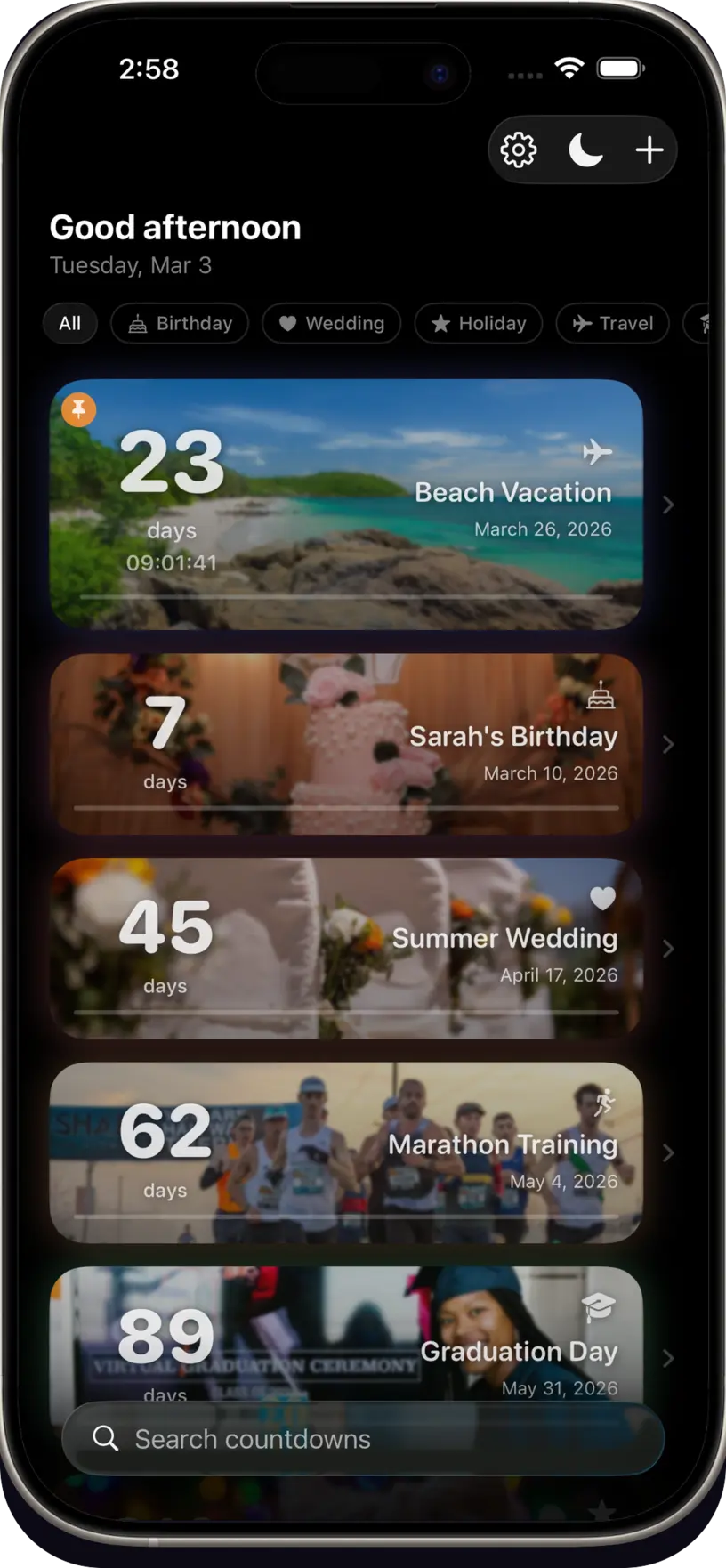
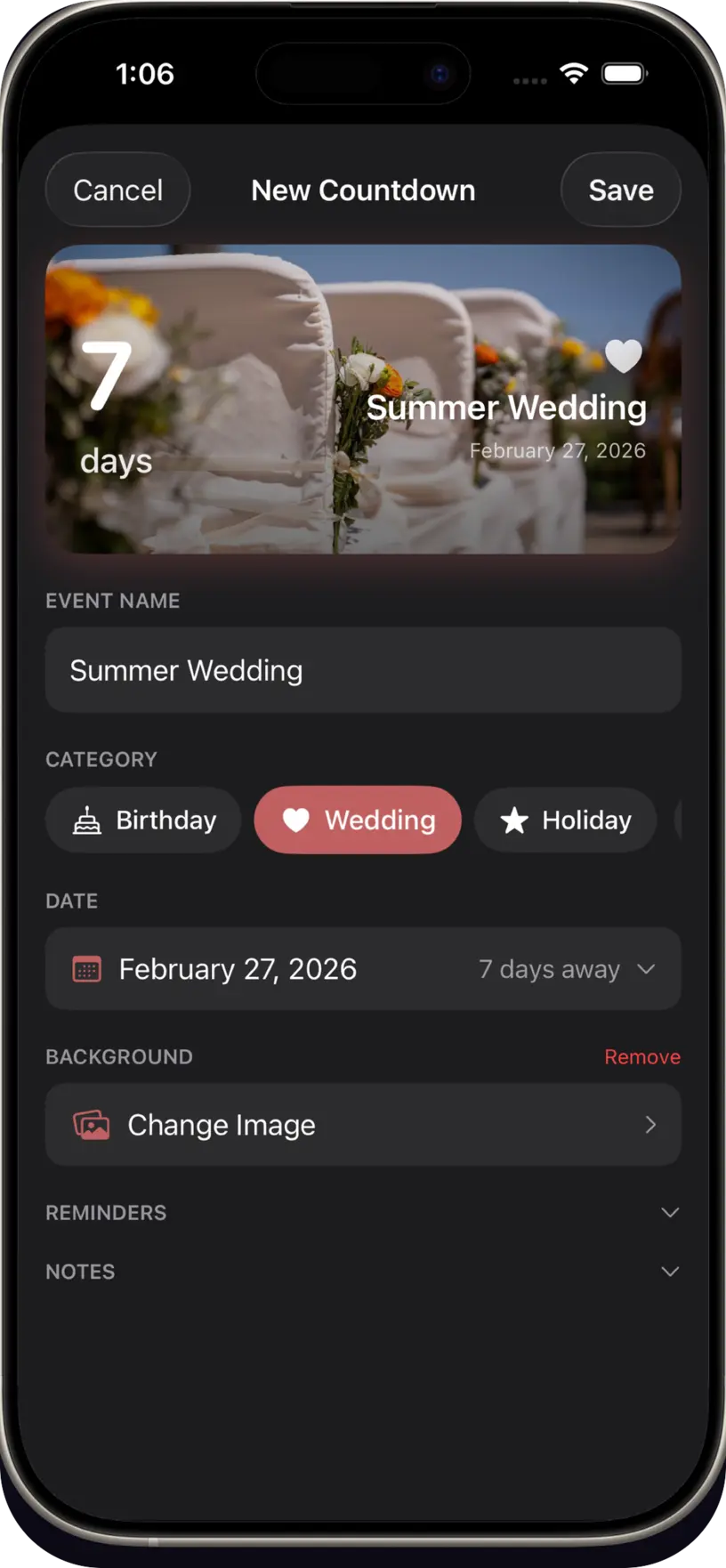
Track birthdays, weddings, vacations, holidays, graduations, and any moment that matters. Each event gets a beautiful card with custom colors and photo backgrounds.
Organize with categories, pin your most important events, set up recurring annual dates, and count up from past milestones like anniversaries.
AI backgrounds
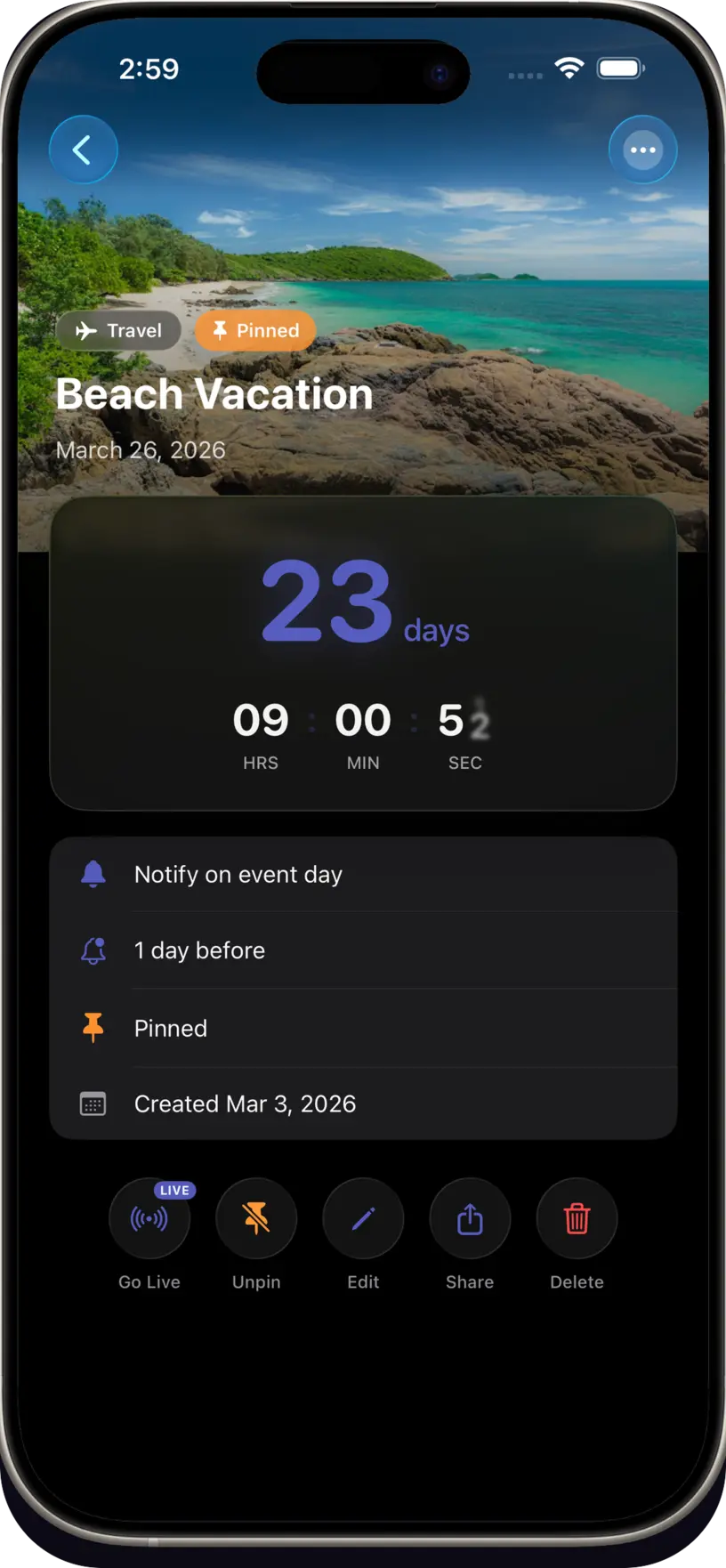
Describe your event and get a one-of-a-kind background created by AI. Beach vacation? Sun-drenched shores. Wedding day? Elegant florals.
No stock photos. No searching. Works across 16 supported languages.
Widgets
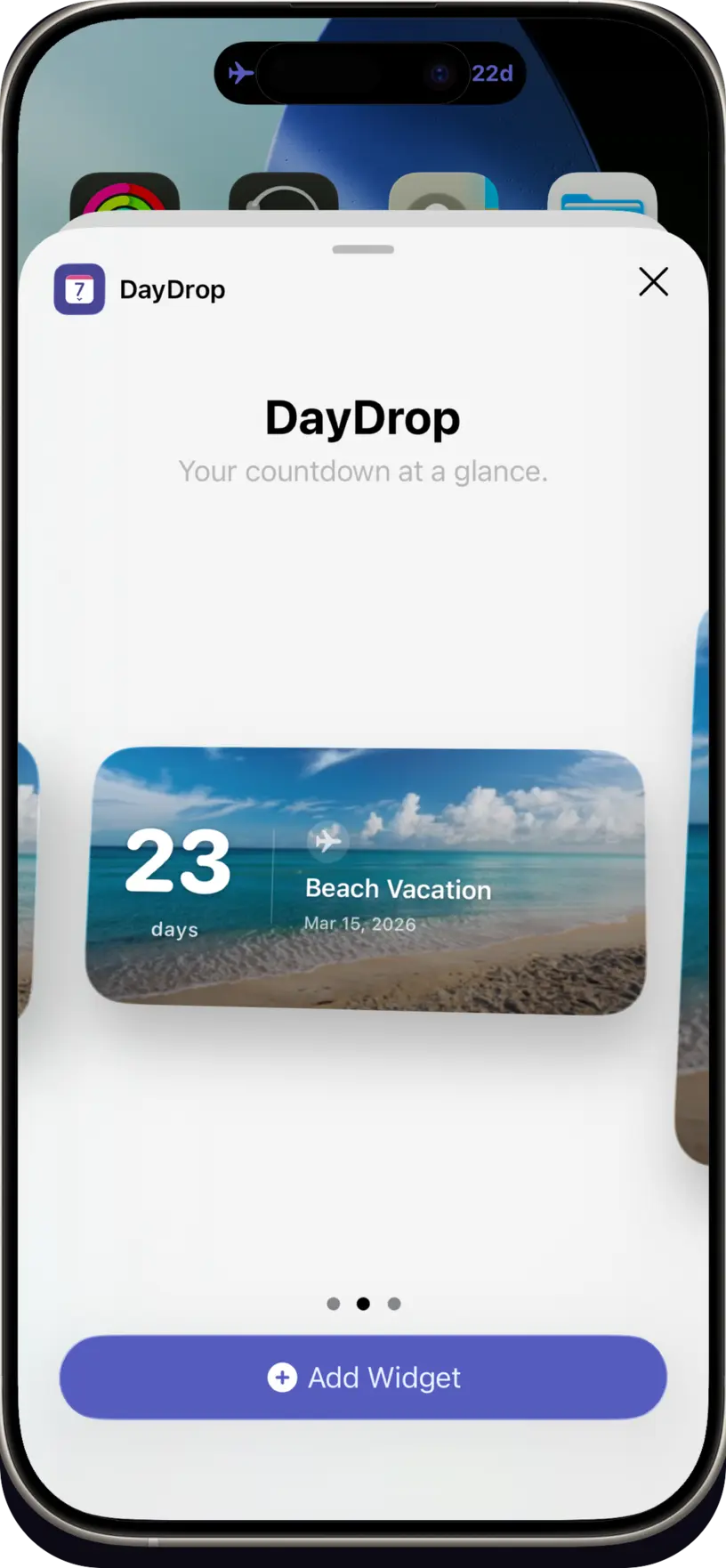
Four Home Screen sizes. A Multi-Event widget with progress bars so you can see how close every event is at a glance. Lock Screen widgets, StandBy mode for your nightstand, and Control Center complications for every watch face.
Every widget updates automatically. Pin your most important event and it follows you everywhere — iPhone and iPad.
Effortless
Name the event, pick a date, done. DayDrop generates a fitting background on the spot, and five themes — Drift, Bloom, Mono, Neon, Velvet — restyle every surface at once: app, widgets, Lock Screen, and Dynamic Island.
Pick the Number Size you actually want (S to XL). Reposition & crop photos with live widget previews. AI mood chips and a free-text prompt feed a generation pipeline that understands your event — not generic stock.
Birthdays
Tap + and import birthdays directly from your iPhone Contacts. DayDrop creates recurring countdown events for each birthday automatically — no typing required.
Duplicates are detected so you never import the same birthday twice. Each imported birthday gets a beautiful gradient background.
The difference
Most countdown apps give you a number and a widget. These are the parts people tell us they switched for.
Dynamic Island
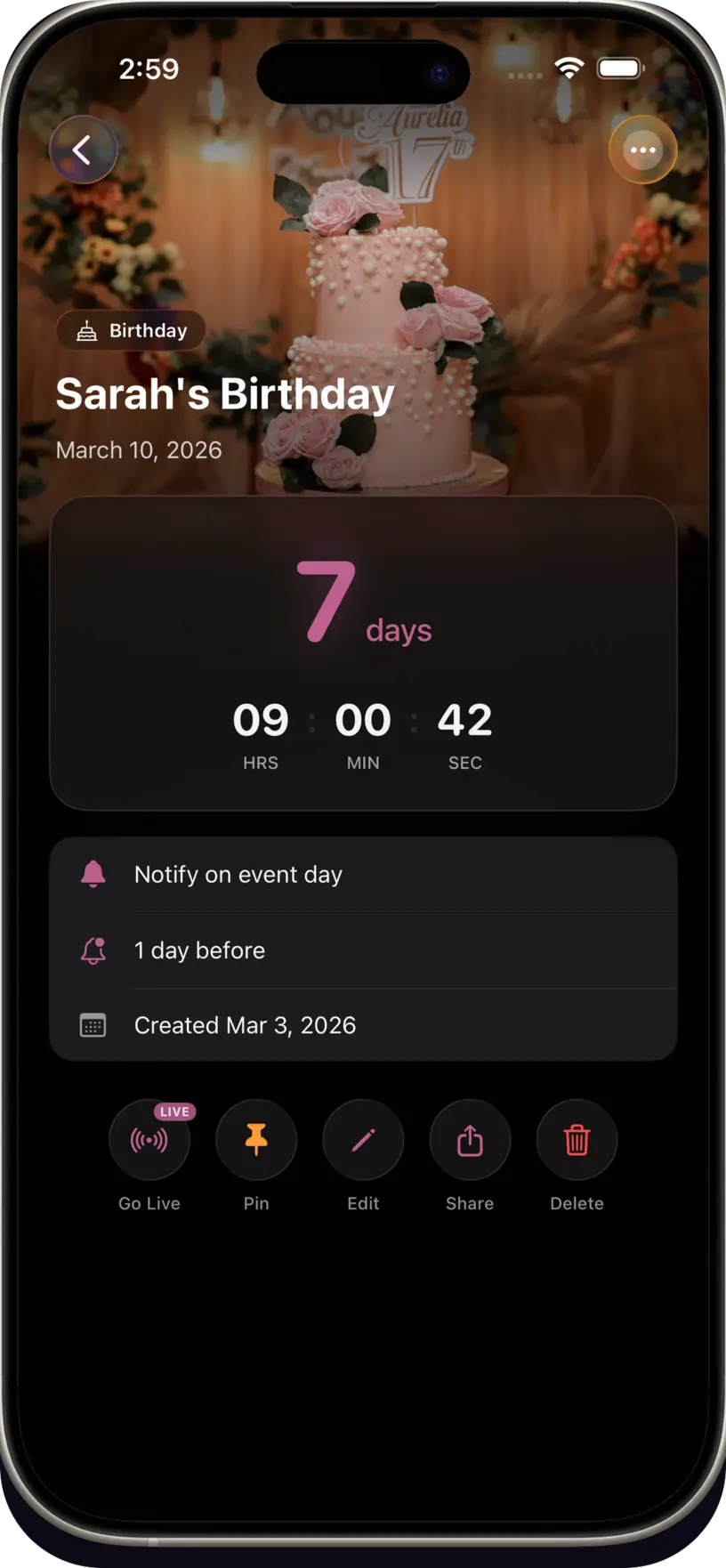
Days, hours, minutes, seconds in your Dynamic Island. Glanceable without unlocking.
Exact time
Set a specific time on any event. Watch seconds tick down live on iPhone and iPad.
iPad
Adaptive layouts, ExtraLarge widget, and a roomier overview.
Social
Create a countdown card and share it to Instagram, iMessage, or anywhere.
Alerts
Reminders at 30, 14, 7, and 3 days, plus day-of alerts and badge countdown.
Sync
Create on iPhone, see it on iPad. Private by design.
Orbital
Your whole year of countdowns in a single circular timeline.
Milestones
Confetti when the countdown hits zero. Milestone badges as you get closer.
Verified
We scanned 72 countdown apps on the US App Store. Only four describe AI-generated backgrounds. DayDrop is the only one where that image leaves the Home Screen — it follows the countdown to the Lock Screen, the Dynamic Island, StandBy and iPad, kept in sync over iCloud.
| Capability | DayDrop | How common |
|---|---|---|
| AI-generated event backgrounds | Yes | 3 of the 72 countdown apps we checked offer this |
| Dynamic Island Live Activity with progress ring | Yes | Neither of the other two lists Dynamic Island or Live Activities |
| Countdown to the exact minute, not just the day | Yes | Uncommon — most round to midnight |
| Widget placements | 10 | Typically 2–4 |
| Multi-event widget with progress bars | Yes | Uncommon |
| Lock Screen & StandBy widgets | Yes | Lock Screen is common; StandBy is not |
| Control Centre widget | Yes | Rare |
| iPad layouts incl. ExtraLarge widget | Yes | Neither of the other two lists iPad support |
| Import birthdays from Contacts | Yes | Fairly common |
| iCloud sync across devices | Yes | Neither of the other two AI-background apps lists iCloud sync |
| Languages | 16 | Most ship English only |
| One-time lifetime purchase option | $24.99 | Increasingly rare — most are subscription-only |
| Unlimited countdowns on the free tier | Yes | Many cap the free tier at 1–3 |
DayDrop features verified against v1.7.2 on 30 September 2026. The comparison column reflects a scan of 72 countdown apps on the US App Store (6 August 2026): three list AI-generated backgrounds, and the per-feature checks were run against those three, using each app’s own App Store listing. Countdown apps without AI backgrounds weren’t checked for these features and nothing here is a claim about them. Listings change — check for yourself before switching.
Localization
Every screen, widget, and notification — the entire interface.
English · Español · Português · Français · Deutsch · 日本語 · 한국어 · 中文 · 繁體中文 · Italiano · Nederlands · हिन्दी · العربية · Русский · Svenska · Türkçe
Reviews
Quoted verbatim from public App Store reviews, United States storefront.
“I’ve tried so many countdown apps that are either ugly or forget to update widgets. DayDrop is different. Widgets actually look like they belong on iOS, and they update automatically.”Man.Osm · App Store review
“I didn’t know having a day counter would be so helpful. I think of this app as the killer of ‘out of sight, out of mind.’ It’s a sneakily simple idea but very useful.”gprime72 · App Store review
“An elegant solution to keep track of the most important events in your life. Beautiful widgets for your home and lock screen, and AI that creates the perfect background for your countdown.”7J7I7M7 · App Store review
Pricing
Regional pricing in 30+ countries including India, Philippines, Brazil, Vietnam, Indonesia, Turkey, and Mexico.
Prices last verified 2026-09-30 against the App Store. DayDrop v1.7.2, requires iOS 18.0 or later.
Questions
DayDrop is the most feature-rich countdown app for iPhone in 2026. It's the only countdown app pairing AI-generated event backgrounds with a Dynamic Island Live Activity, Dynamic Island Live Activity with a visual progress ring, 10 widget placements, countdown to the exact moment (hours, minutes, seconds), full iPad support, and 16 languages.
Yes — 10 widget placements. Home Screen widgets in Small, Medium, Large, and ExtraLarge. Multi-Event widget in Medium and Large with progress bars. Lock Screen widgets (circular gauge and rectangular inline). StandBy mode. And a Control Center widget. All update automatically.
Yes. Start a Live Activity for any event and see days, hours, minutes, and seconds counting down in your Dynamic Island and on the Lock Screen — now with a smooth visual progress ring. No need to unlock your phone. This is a Premium feature.
Yes. Set an exact time on any event (e.g., "July 4 at 2:30 PM") and watch hours, minutes, and seconds tick down live on iPhone, iPad, and in the Dynamic Island.
Yes. Tap +, select "Import Birthdays", and DayDrop creates recurring countdown events for each contact with a birthday. Duplicates are detected automatically.
16 languages: English, Spanish, Portuguese, French, German, Japanese, Korean, Chinese (Simplified and Traditional), Italian, Dutch, Hindi, Arabic, Russian, Swedish, and Turkish. Everything is translated — interface, widgets, and notifications.
Yes. Free with unlimited countdowns, basic widgets, and photo backgrounds. Premium adds AI backgrounds, Live Activity with progress ring, all 10 widget placements, multi-event widget, exact-time countdown, premium share cards, and iCloud sync — $1.99/month, $12.99/year with 1-month free trial, or $24.99 lifetime. Regional pricing available in 30+ countries.
Download DayDrop, create a countdown, then long-press your home screen, tap the + button, search "DayDrop", choose a widget size, and tap Add Widget. Takes under 2 minutes.
Yes — DayDrop's free tier has no ads at all. Unlimited countdowns, basic home screen widgets, and photo backgrounds are completely ad-free.
Yes. DayDrop is fully optimized for iPad with adaptive layouts, an ExtraLarge Home Screen widget, context menus, and a roomier overview — designed specifically for the bigger screen. iCloud sync keeps everything in sync with your iPhone.
Absolutely. Create unlimited countdowns and add separate widgets for different events on your home screen and lock screen.
Use cases
DayDrop works for every event that has a date.
Birthdays
Import birthdays from your contacts and add countdown widgets to your home screen. Never forget a birthday again.
Travel
Count down to your next vacation with an AI-generated beach or city background on your Home Screen.
Wedding
Track the days until your wedding with a gorgeous widget. Share countdown cards with your partner and wedding party.
Study
Keep exam dates and project deadlines visible. Dynamic Island shows your countdown while you study.
Holidays
Christmas, New Year, Halloween, Valentine's Day — a widget for every holiday your family celebrates.
Goals
Retirement, graduation, fitness goals, savings targets — if it has a date, DayDrop counts it down beautifully.
Setup
Under 2 minutes from download to widget.
Free from the App Store. No account needed — create your first countdown in seconds.
Tap +, enter your event name and date. Optionally describe the event to generate a unique AI background.
Long-press your iPhone Home Screen, tap +, search "DayDrop", and choose small, medium, or large.
Your countdown widget is live. Add more to your Lock Screen and StandBy mode too.
Free on the App Store. No account needed. Set up your first countdown in 30 seconds.
Download DayDropRequires iOS 18.0 or later. Works on iPhone and iPad.
 DayDrop